
Best AI for FP&A teams (2026)
By MacrosLM Team · Reviewed by Damira Baigozha, ex-PwC Valuation & M&A Advisory Expert
FP&A is one of the most AI-transformed functions in finance, even though day-to-day adoption is still catching up to the hype. AFP's 2025 FP&A Benchmarking Survey found only about 23% of FP&A practitioners using AI on a daily, weekly, or monthly basis — but generative-AI and machine-learning use have each climbed 10+ percentage points since 2020, and another 40% of respondents are actively testing it for rollout within the year. The gap between "everyone's talking about it" and "most teams actually run it" is exactly why picking the right tool for your specific bottleneck matters more than picking the most hyped one.
But the market is crowded and the tools are not interchangeable. Some are full planning platforms you build budgets inside; some are Excel-native layers; some are agentic workspaces that produce finished analysis. The right choice depends on whether your bottleneck is building the plan or producing the analysis around it.
Match the tool to the job
FP&A tools aren't interchangeable. Pick what you're actually buying:
What's actually eating your time? Pick the bottleneck — the tool category follows.
Planning platform (system of record)
Anaplan · Workday Adaptive · Pigment · Planful
You need the versioned, multi-user system where a whole org's budget is built, collaborated on, and stored. Anaplan and Workday Adaptive for large multi-function planning; Pigment is the AI-native, agent-driven newcomer; Planful for mid-market. MacrosLM can also build a budget or forecast from your instructions (its Budgeting & Planning agent, on a 3-statement model) — it just isn't the multi-user system of record.
MacrosLM
Disclosure: MacrosLM is our own product. We've aimed to describe every alternative fairly and accurately, but read this comparison knowing where we sit.
MacrosLM is the multi-agentic AI workspace for high-stakes financial work, and FP&A is one of its core use cases. It sits at the analysis-and-deliverable end: rather than being the system you build budgets inside, it takes your data and a plain-language brief and produces the finished work — a variance analysis, a 13-week cash forecast, a board package — with every figure traced to its source. One analyst produces what used to take a team, and the judgment stays with the analyst.
Pick an FP&A agent, or create your own task. MacrosLM ships with 100+ expert-built agents and 300+ skills, organized into bundles by financial field — FP&A, Valuation, Audit & Accounting, Credit Analysis, M&A & Diligence, and more. For finance teams, the FP&A bundle is the one that matters: agents for the recurring analysis and reporting that fills the month. You pick the agent for the work in front of you, or describe a task in plain language, then upload your data and set the scope. No prompt engineering required. Browse the FP&A agents in the app →
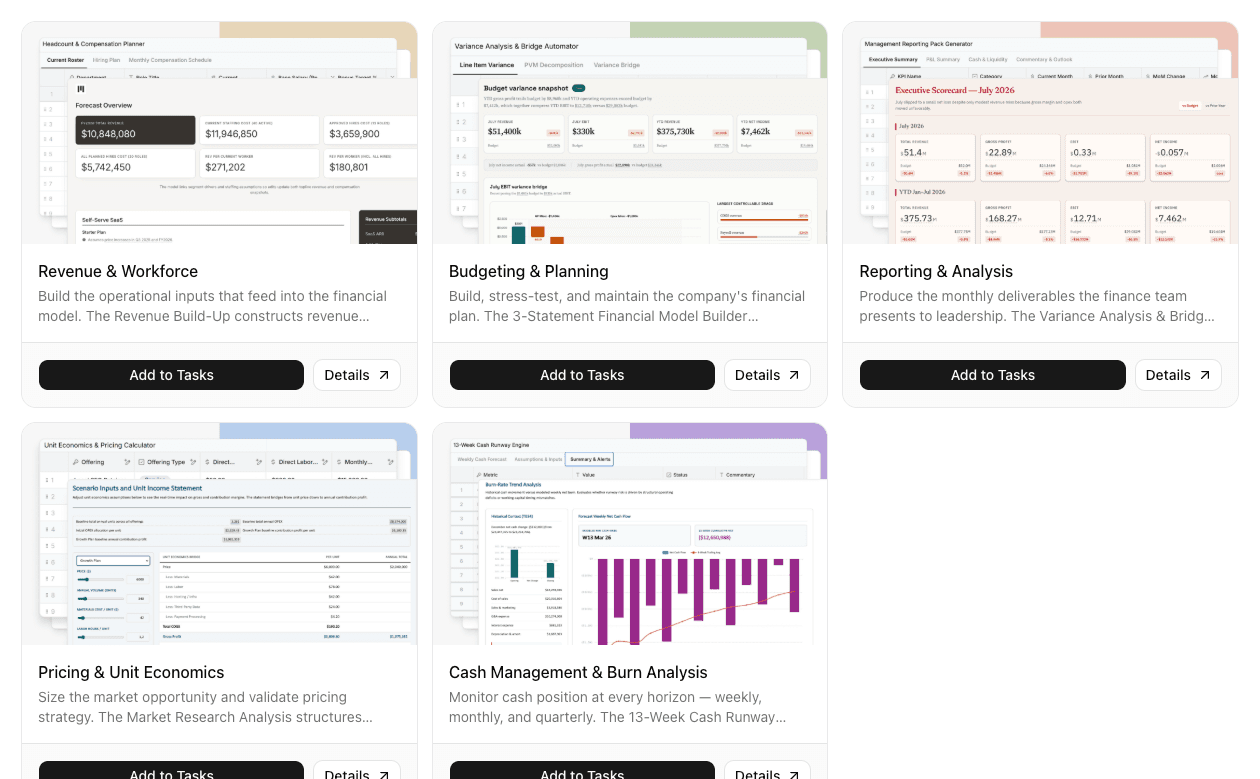
Built for the FP&A work that eats the hours. The FP&A bundle covers the analysis and reporting a finance team runs every cycle, so you start from a built agent, not a blank workspace:
- Budgeting & Planning — builds, stress-tests, and maintains the company's financial plan, with a 3-statement financial model builder underneath.
- Reporting & Analysis — produces the monthly deliverables the finance team presents to leadership, including the variance analysis and bridge.
- Cash Management & Burn Analysis — monitors cash position at every horizon (weekly, monthly, quarterly), with the 13-Week Cash Runway engine.
- Revenue & Workforce — builds the operational inputs that feed the financial model, with a revenue build-up that constructs revenue from drivers.
- Pricing & Unit Economics — sizes the market opportunity and validates pricing strategy, structuring unit economics and the income statement.
See a real deliverable. Below is an actual 13-Week Cash Runway output — a direct cash forecast with switchable scenarios (base plan, slow collections, cost reduction), a runway readout, and a week-by-week table where balances below the operating buffer are flagged. Click through the scenarios to see the forecast recompute.
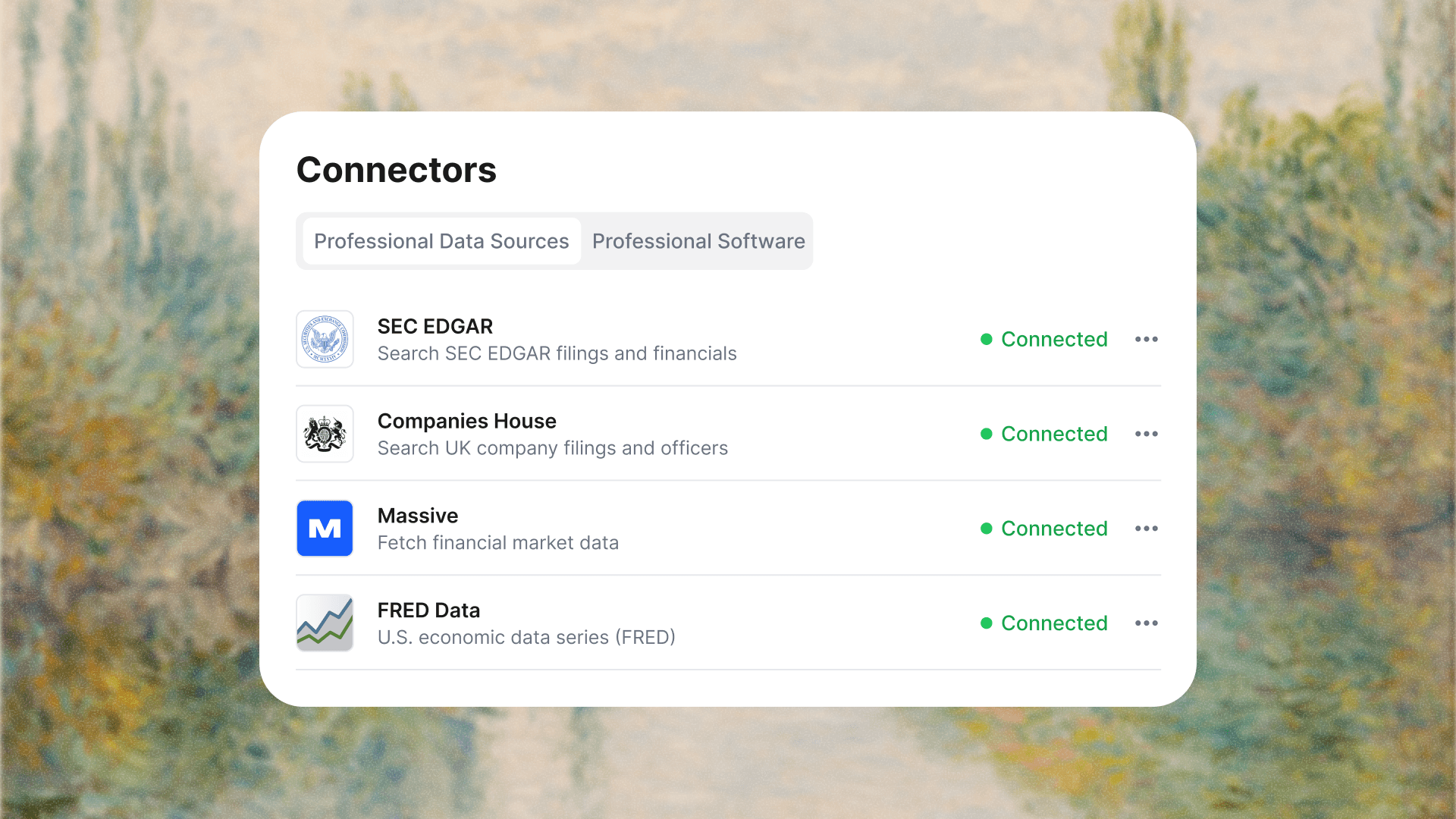
Reads your data, connected to your stack. Drop in your files, or sync live sources — SEC EDGAR, FRED, and market data for the numbers; NetSuite, Salesforce, and SharePoint for the systems your work lives in — so the analysis runs off current data, not a stale export.
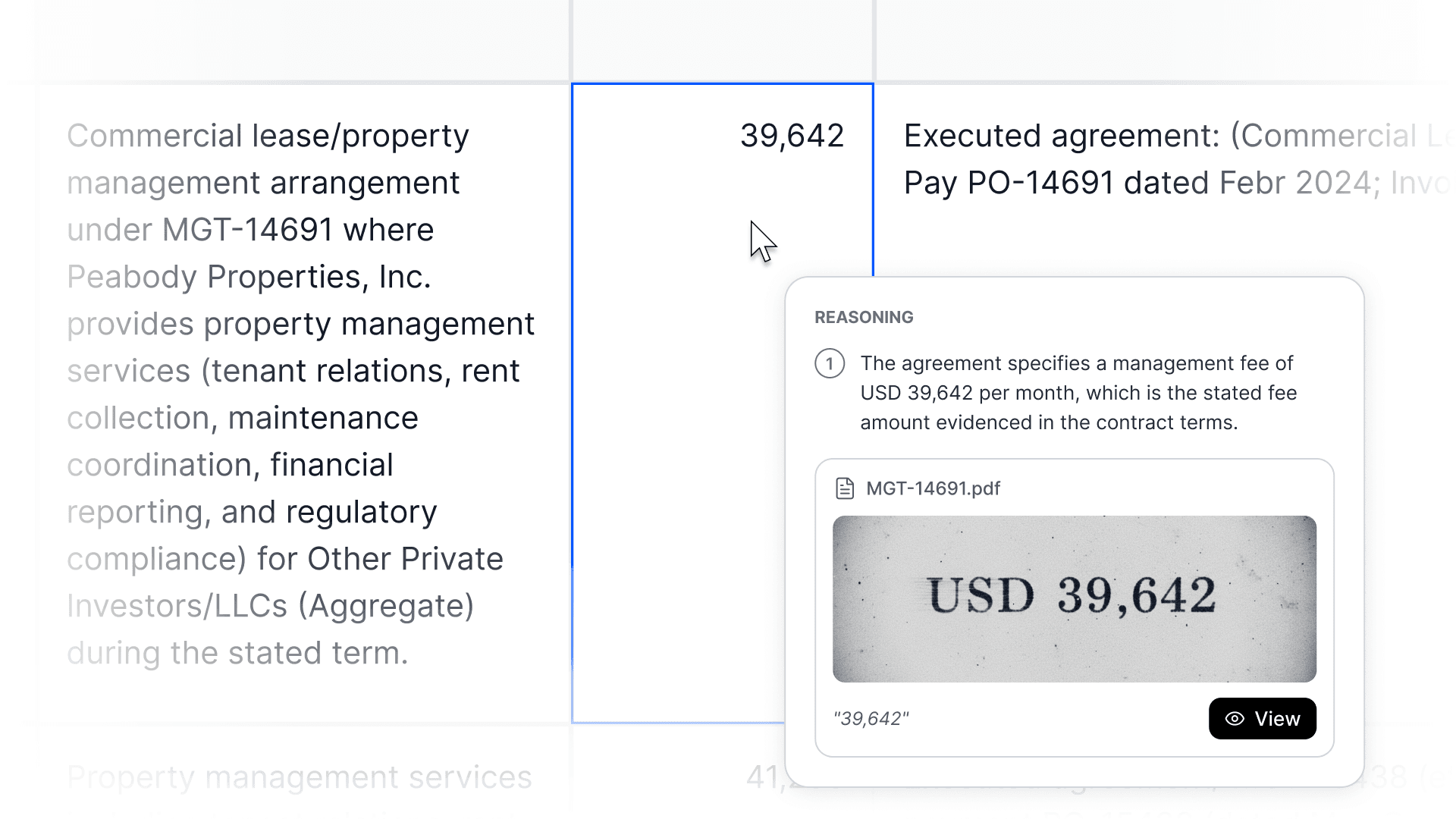
Every number shows its work. Click any figure in a report and MacrosLM traces it to the line item behind it, on the exact page or cell. If it can't point to a source, it won't put it in — so a forecast or board number is one you can defend, not a black box.
You stay in control. MacrosLM flags its assumptions and asks for your input in real time. AI does the assembly; the analyst owns the numbers and the call.
Output in your firm's format. MacrosLM learns your model layout, deck style, logo, and colors, so board decks and reports come back in your house style. Export to sheets, visuals, reports, and decks — see the full walkthrough for making a board-ready financial presentation.
Security. SOC 2 Type II, GDPR and CCPA compliant, encrypted in transit and at rest, and your data never trains a model.
Best for: FP&A teams that want the variance analysis, cash forecast, and board package built, sourced, and review-ready — not just a platform to build models in. Get started · Book a demo
Where each tool sits in the cycle
The alternatives
MacrosLM produces the analysis and deliverables. The tools below are planning platforms and spreadsheet layers — the systems where budgets and forecasts live and update — and many teams run one alongside an agentic workspace.
Anaplan, Workday Adaptive, Pigment, and Planful — planning platforms
The system where budgets and forecasts are built, versioned, and stored. Anaplan and Workday Adaptive handle connected, multi-function enterprise planning; Pigment is the AI-native newcomer, with agents that build models from natural language, explain variance drivers, and simulate scenarios; Planful fits the mid-market. Best for: the planning system of record — heavier to implement, but it's where the plan lives.
Datarails, Vena, and Cube — Excel-native layers
For teams that live in Excel and won't migrate: consolidation, forecasting, and governance on top of the grid. Datarails' FP&A Genius and Cube's agentic features layer AI onto the spreadsheet without a platform switch. Best for: automation without leaving Excel.
Mosaic, Aleph, and Jirav — growth-stage suites
Affordable, fast-to-deploy planning and analysis for early-stage and high-growth teams, often built around SaaS metrics. Best for: a startup or scale-up that needs something running this quarter, not next year.
What to look for
- Are you buying the plan or the analysis? The system where the budget lives (planning platform) is a different purchase from the tool that produces the analysis around it. Many teams run both.
- Explainability. You have to defend a forecast, so every number should trace to its source.
- Clean integration with your ERP and source systems, so the analysis runs off current data, not a stale export.
- Judgment stays with the analyst — the tools consolidate, forecast, and draft; the assumptions and the call don't move.
How to choose
The market splits along one main line: are you buying the system where the plan lives, or the tool that produces the analysis around it?
- Planning platform — if your need is the budgeting-and-forecasting system, that's Anaplan, Planful, Workday Adaptive, or Pigment.
- Spreadsheet-native — if your team lives in Excel and won't migrate, Datarails, Vena, or Cube add AI without a switch.
- Growth-stage suite — if you're early-stage and need something fast and affordable, Mosaic, Aleph, or Jirav.
- Analysis workspace — if your bottleneck is producing finished, sourced analysis and deliverables (variance, cash forecast, board package), that's where MacrosLM fits.
Many teams run a planning platform for the cycle and an agentic workspace for the analysis. Across all of them, insist on explainability (you have to defend a forecast), clean integration with your ERP and source systems, and a design that keeps judgment with the analyst.
Then test on your real data and judge the output on whether it's sourced, accurate, and something you'd present to leadership.
Bottom line
There's no single best AI for FP&A, because the tools do different jobs. Agentic workspaces like MacrosLM produce finished, sourced analysis and deliverables; planning platforms like Anaplan and Planful run the budgeting-and-forecasting cycle; and spreadsheet-native tools like Datarails add AI without leaving Excel. Identify whether your bottleneck is building the plan or producing the analysis, match it to the right category, insist on explainability and clean integration, and test on your real data before you commit.
Sources
- AFP — 2025 FP&A Benchmarking Survey Report: Technology & Data — source for the AI-adoption figures above.
This article reflects the FP&A-technology landscape as of 2026, which changes quickly. Capabilities, pricing, and integrations should be verified directly with each vendor. Nothing here is a substitute for professional judgment.
Frequently asked questions
- What is the best AI for FP&A?
- There's no single best tool, because they do different jobs. Agentic workspaces like MacrosLM produce finished, sourced analysis and deliverables (variance, cash forecast, board package); planning platforms like Anaplan and Planful run the budgeting-and-forecasting cycle; and spreadsheet-native tools like Datarails add AI without leaving Excel. Match the tool to whether your bottleneck is building the plan or producing the analysis.
- What's the difference between a planning platform and an FP&A analysis tool?
- A planning platform (Anaplan, Planful, Workday Adaptive, Pigment) is the system where budgets and forecasts are built and updated. An analysis workspace like MacrosLM produces the finished, sourced deliverables around the plan — variance analysis, cash forecasts, board packages. Many teams run a planning platform for the cycle and an agentic workspace for the analysis.
- What should you look for in an AI tool for FP&A?
- Explainability — you have to be able to defend a forecast, so every number should trace to its source — clean integration with your ERP and source systems so the analysis runs off current data, the right fit for whether you're building the plan or producing analysis, and a design that keeps judgment with the analyst.
- Can AI replace FP&A analysts?
- No. The best tools automate the assembly — consolidation, variance analysis, cash forecasting, board reporting — but the analyst still owns the numbers, the assumptions, and the call. In FP&A you have to defend a forecast to leadership, so explainability and human judgment stay central.
Reviewed by Damira Baigozha
ex-PwC Valuation & M&A Advisory Expert. Written by the MacrosLM editorial team.
View profile →