
10 AI tools to run an advisory firm solo
By MacrosLM Team · Reviewed by Damira Baigozha, ex-PwC Valuation & M&A Advisory Expert
You don't need a team of ten to launch an advisory firm anymore. You need the right AI on each job — and one tool for the client work you can't get wrong.
For most of the last century, going independent meant a hard ceiling: one person could only take on so much, because behind every engagement sat hours of analysis, research, admin, and production that used to require associates. That has changed. A single founder can now run the work that used to take a small team — if they build the right stack. The key is matching a tool to each part of running a firm, then anchoring the whole thing with something built for the client work that is your actual product.
Match a tool to each job
What's actually eating your time? Pick the bottleneck — the tool category follows.
The client deliverable — your product
MacrosLM
The valuation, diligence, credit analysis, model, or memo a client actually pays for. MacrosLM runs the whole arc in one place — sourcing data through connectors, reading your document set, building the analysis, and producing the finished document or deck in your house style, every figure traced to source. The associate bench you don't have; the judgment and sign-off stay yours. SOC 2 Type II, no training on your data.
The client deliverable: MacrosLM
Disclosure: MacrosLM is our own product. We've aimed to describe every alternative fairly and accurately, but read this comparison knowing where we sit.
The reason a client hires an advisory firm is the deliverable — the valuation, the diligence, the credit analysis, the model, the memo. MacrosLM is the multi-agentic AI workspace for high-stakes financial work: you give it the data room or the financials, brief it in plain language, and its expert-built agents produce a finished, sourced deliverable with every figure traced back to the document it came from. For a solo founder, this is the associate bench you don't have. The output is defensible — every number links to its source — and the judgment and sign-off stay yours.
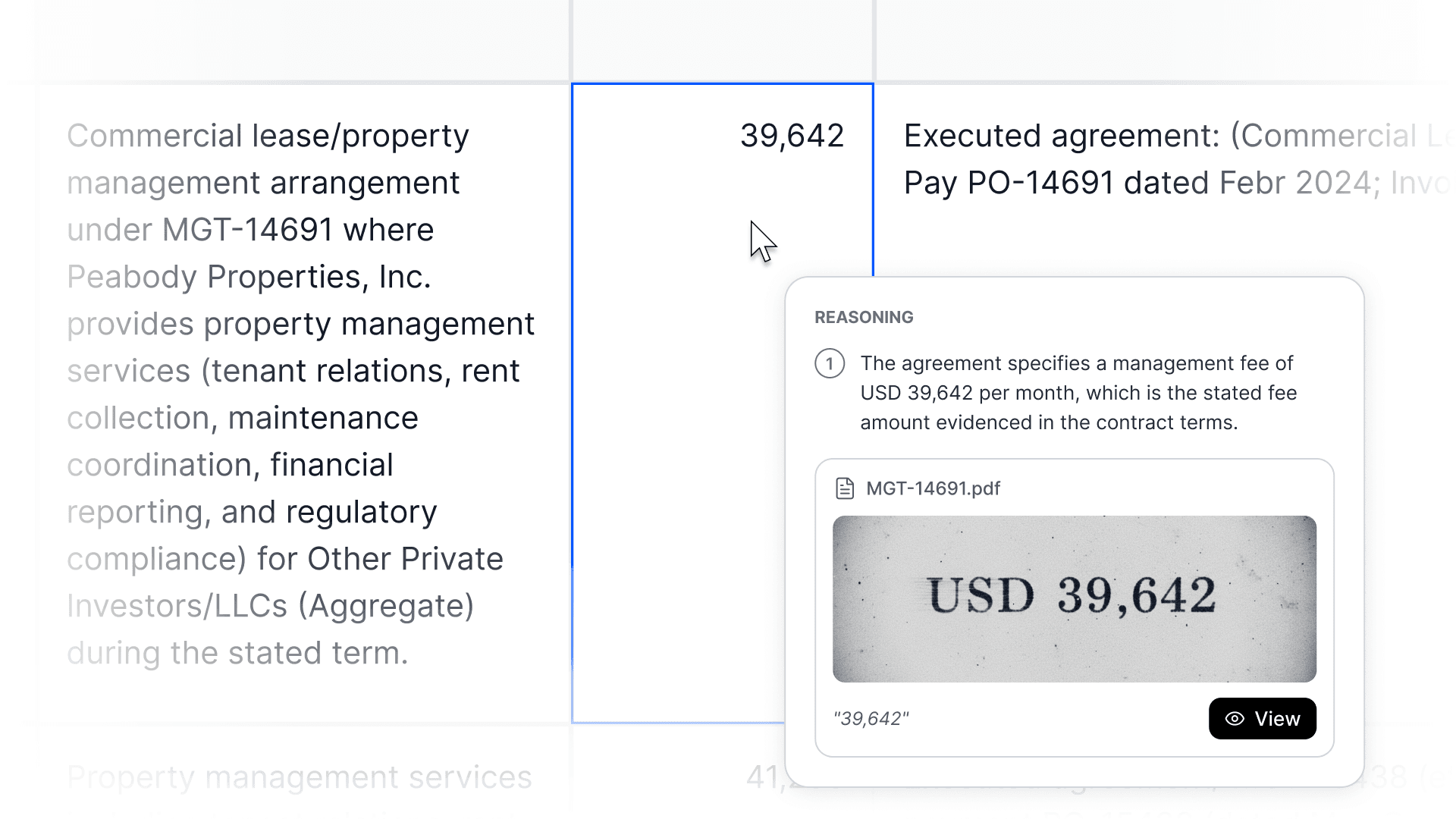
One thing worth being clear about: MacrosLM covers more than the analysis in the middle. Because it sources data through connectors, reads your document set, and produces the finished output in your house style, the deliverable-linked parts of research, drafting, and production happen inside it too — you're not exporting the analysis to a separate tool to write it up. What it isn't is the firm's back office: it doesn't run your CRM, your calendar, or your billing. It's the product you sell, not the system that runs the practice.
Winning the client: research and outreach
The research that directly feeds an engagement — pulling company financials and market data through connectors, reading the document set — runs inside MacrosLM, so it flows straight into the analysis rather than being copied over from somewhere else; the same goes for the proposal or memo that's tied to the numbers, which comes out sourced. Around that, dedicated tools cover the broader work: Perplexity answers open-web market and competitor questions with live, cited sources; NotebookLM grounds Q&A on a specific set of filings or reports; and for the cold email, the follow-up, and quick non-deliverable drafting, a general model (ChatGPT, Claude) is faster — keep client-confidential data off consumer tiers.
Client conversations, decks, and documents
The finished client document or deck — the deliverable itself — comes from MacrosLM in your house style, every figure sourced, so you're not rebuilding the output in a separate slide tool. It's the same workflow behind a McKinsey-style research deck built from 100+ raw PDFs. The same analysis comes out in whatever format the engagement calls for:
Slide deck .pptx
Board-ready deck in your house template — each chart and figure links back to the document behind it.
Excel workpaper .xlsx
Live workpaper with citations on the cells — click a value to see the exact filing, page, or calculation it came from.
HTML report web
Interactive report to share as a link — every number is clickable through to its source in the reasoning panel.
Where the standalone tools earn their place is the material that isn't the sourced deliverable: an AI notetaker (Otter, Fathom, Fireflies) records, transcribes, and summarizes each call and pulls out the action items, so you stay present in discovery meetings and reviews (check the tool's data handling before recording client conversations); Gamma turns an outline into a generic first-draft presentation; and Claude drafts non-deliverable long-form writing where the wording is high-stakes.
The firm's backbone: CRM and practice management
The one category a deliverable tool doesn't touch — and the one most solo founders under-build — is the system of record for clients, pipeline, and follow-ups. Wealthbox is a widely used, advisor-focused CRM that has been layering in AI; Altitude and Jump build advisor workflows, meeting automation, and compliance support around the CRM, with Jump (roughly $149/user/month) noted for a mature meeting-to-CRM handoff. If your practice is more general consulting than wealth management, a horizontal CRM works too — the point is to have one place where every client, task, and next step lives, so nothing slips as you scale past a handful of engagements.
Keeping the lights on: admin
An AI email assistant triages the inbox, drafts replies, and keeps follow-ups from slipping; an AI scheduler handles the back-and-forth of booking; and an AI-assisted invoicing and bookkeeping tool keeps billing, expenses, and cash tracking current. Unglamorous, and often the difference between taking another client and going underwater.
The order to build it
Run the business once coordination is the bottleneck
CRM & practice management (Wealthbox · Altitude · Jump AI) · AI email · scheduling · invoicing
Deliver & communicate production
AI notetaker (Fireflies · Fathom · Otter) for calls · Gamma / Claude for generic slides and non-deliverable writing● the finished client document / deck is MacrosLM output
Win the work research & outreach
Perplexity · NotebookLM for open-web research · ChatGPT / Claude for quick outreach● the deliverable-linked research and proposal run inside MacrosLM
The client deliverable your product — in place before engagement one
MacrosLM — sources the data, builds the analysis, and produces the finished, source-traced valuation / diligence / model / memo (and the research and output around it)
the deliverable-linked slices of layers 2 and 3 — the research that feeds the analysis and the finished client document or deck — run inside MacrosLM, so there's less stitching between tools for the client work itself. The point tools own the broader open-web research, quick outreach, call notes, and generic slides.
The rule over all four layers:
anything touching client-confidential data goes on an enterprise-grade tool with a clear data-handling guarantee, SOC 2, and no training on your data. In advisory, confidentiality isn't a feature — it's the business.
Put the client work in place before your first engagement — that's the product. Then outreach and research, then calls and production, then the CRM and admin once coordination becomes the bottleneck. And set the confidentiality rule from day one.
The rule that sits over everything: protect client data
For anything touching client-confidential data, default to enterprise-grade tools with a clear data-handling guarantee, SOC 2, and no training on your data — and be deliberate about what goes into which one. In advisory, client confidentiality isn't a feature, it's the business. Decide this on purpose at the start, not after a client asks how their numbers are handled.
The real shift
The point isn't that AI replaces the expertise you spent a career building. It's that it removes the reason you needed a team to sell that expertise. What's left is exactly what clients were paying for all along: your judgment. If you've been waiting to go out on your own until you could afford to staff up, the math just changed. Start with the client work →
This article reflects the AI landscape as of 2026, which changes quickly. Tool capabilities, pricing, and data-handling terms should be verified directly with each vendor before use with client-confidential information. MacrosLM is our product; the other tools are recommended in good faith. Nothing here is legal, financial, or business-formation advice.
Frequently asked questions
- What AI tools do you need to run an advisory firm solo?
- Anchor the stack with a workspace built for the client deliverables — the analysis, models, and memos clients pay for — such as MacrosLM. Around it, add tools for each job: research and outreach (Perplexity, NotebookLM, a general model), calls and production (an AI notetaker, Claude, a slide tool like Gamma), and admin (email, scheduling, invoicing). The one rule over all of them: keep client-confidential data on enterprise-grade tools you can defend.
- Can one person run an advisory firm with AI?
- Yes. AI now removes the mechanical layer — analysis, research, production, and admin — that used to require associates, so one person can carry work that once needed a team. What it doesn't replace is your judgment and sign-off, which is what clients were paying for all along.
- How do you protect client data when using AI in an advisory firm?
- For anything touching client-confidential data, default to enterprise-grade tools with a clear data-handling guarantee, SOC 2, and no training on your data — and be deliberate about what goes into which tool. In advisory, confidentiality isn't a feature, it's the business, so set the rule on purpose at the start rather than retrofitting it once you're busy.
- What's the difference between the deliverable tool and the CRM?
- The deliverable tool (MacrosLM) produces the client work you sell — the valuation, model, or memo. The CRM (Wealthbox, Altitude, Jump) is the system of record that runs the practice — clients, pipeline, meetings, follow-ups. They're different jobs; a solo firm needs both, and the common mistake is buying only the first.
- What order should you build a solo advisory AI stack?
- Client work first: put the deliverable workspace in place before your first engagement, because that's the product. Then outreach and research so you can win work, then calls and production as engagements flow, then the CRM and admin once coordination becomes the bottleneck — and set the confidentiality rule from day one.
Reviewed by Damira Baigozha
ex-PwC Valuation & M&A Advisory Expert. Written by the MacrosLM editorial team.
View profile →