
Best AI tools for audit automation (2026)
By MacrosLM Team · Reviewed by Aisana Aisina, ex-PwC Audit Expert
Audit is one of the professions AI is changing fastest, for a simple reason: most of the hours on an engagement go not to judgment but to assembly. Chasing evidence, testing samples, tying out numbers, and building workpapers consume the hours, and those are exactly the tasks software can now take on. Surveys bear it out: roughly half of accounting professionals now use AI daily, and in the Thomson Reuters 2025 Future of Professionals Report, 79% of professionals expect AI to have a transformational impact on their work within five years.
But "AI audit tool" now covers very different kinds of software, from platforms that organize the audit program, to tools that speed up evidence work, to agentic systems that build the deliverable for you. The right choice comes down to your bottleneck, so it helps to see what each category actually does before you buy.
Where audit AI stands in 2026
The adoption question is largely settled. In KPMG's Global AI in Finance 2026 report, more than three-quarters of organizations said they are already using AI across financial planning, reporting, and analysis, and 71% reported that AI is meeting or exceeding ROI expectations in the finance function. The gains are concentrating in judgment-heavy work rather than transactional processing.
Two findings matter most for audit. First, evidence has become the differentiator — KPMG found organizations able to produce AI audit evidence efficiently reported three to six times the rate of significant improvement of those that could not (33 percent against 6 percent on error reduction). The value is not in the AI producing an answer but in producing one you can trace and defend. Second, execution, not intent, is the constraint: roughly 99 percent of companies plan to move AI agents into production and only about 11 percent have done so, held back by data, governance, and security rather than the models.
The implication for buyers is straightforward. Adoption is no longer the advantage; traceable, defensible output and a workflow you can actually govern are.
Match the tool to your bottleneck
"AI audit tool" spans several different jobs. Pick the one that's actually costing you time:
What's actually eating your time? Pick the bottleneck — the tool category follows.
Producing the deliverable
MacrosLM
MacrosLM runs the procedure end to end and hands back a finished, sourced workpaper — revenue and expense testing, reconciliations, journal-entry testing, and more — with every figure traced to its source. The auditor reviews and signs.
MacrosLM
Disclosure: MacrosLM is our own product. We've aimed to describe every alternative fairly and accurately, but read this comparison knowing where we sit.
MacrosLM is the multi-agentic AI workspace for high-stakes financial work, and audit is one of its core use cases. Rather than organizing the program or speeding up a single step, it runs the routine end to end and hands back a finished, sourced deliverable, so one auditor can produce what used to take a team. The judgment stays with the auditor.
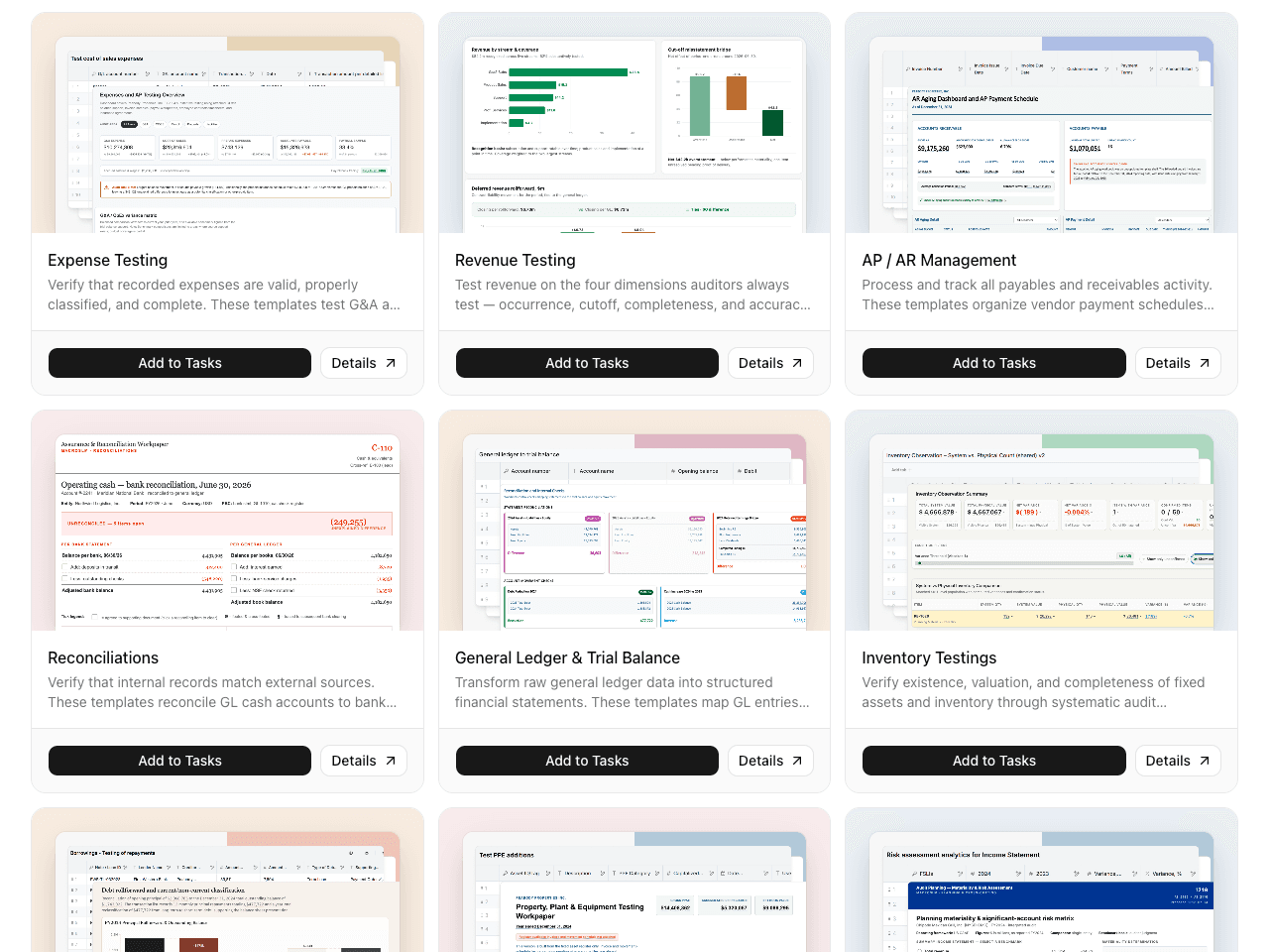
Pick an audit agent, or create your own task. MacrosLM ships with 100+ expert-built agents and 300+ skills, organized into bundles by financial field — Audit & Accounting, Valuation, Credit Analysis, M&A & Diligence, FP&A, and more. For audit teams, the Audit & Accounting bundle is the one that matters: a full set of agents for the procedures you run every engagement. You pick the agent for the work in front of you, or describe a task in plain language, then upload your files and set the scope. No prompt engineering required. Browse the audit agents in the app →
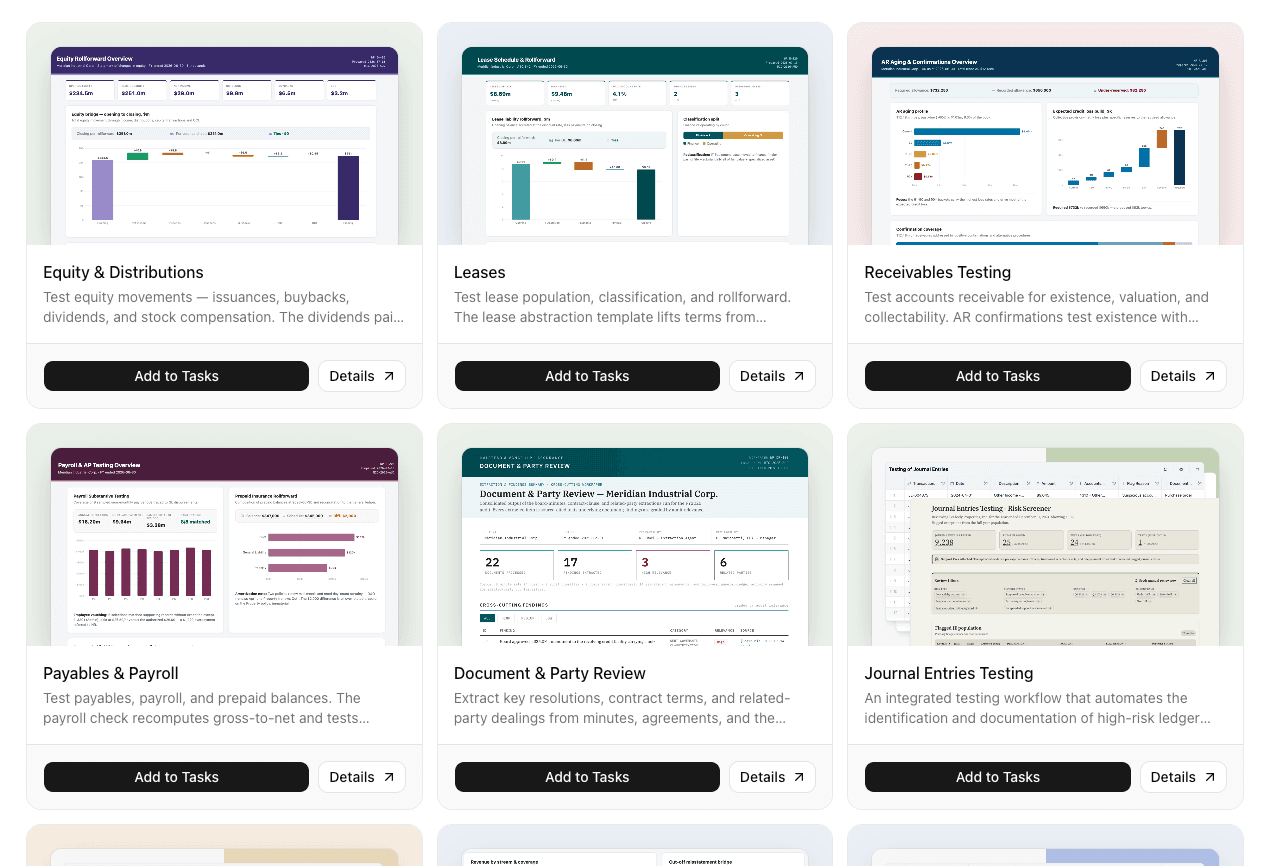
A dedicated agent for every audit procedure. The Audit & Accounting bundle covers the work that fills an engagement, so you start from a built agent, not a blank workspace:
- Revenue Testing — tests revenue against the key assertions: occurrence, cutoff, completeness, and accuracy.
- Expense Testing — verifies that recorded expenses are valid, properly classified, and complete, covering G&A and beyond.
- Receivables Testing — tests accounts receivable for existence and valuation (including collectability), with AR confirmations for existence.
- Payables & Payroll — tests payables, payroll, and prepaid balances, recomputing gross-to-net on payroll.
- Inventory Testing — verifies existence, valuation, and completeness of inventory through systematic audit procedures.
- PP&E & Depreciation — end-to-end testing of the fixed-asset lifecycle, from opening balances through additions and disposals.
- Debt & Borrowings — tests debt existence, terms, and covenant compliance, rolling each borrowing forward.
- Equity & Distributions — tests equity movements: issuances, buybacks, dividends, and stock compensation.
- Leases — tests the lease population, classification, and rollforward, with a lease-abstraction template that lifts terms from the agreements.
- Journal Entries Testing — an integrated workflow that automates the identification and documentation of high-risk ledger entries across the full population.
- Reconciliations — verifies that internal records match external sources, reconciling GL cash accounts to bank statements with linked evidence.
- General Ledger & Trial Balance — transforms raw general-ledger data into structured financial statements, mapping GL entries through to the trial balance.
- AP / AR Management — processes and tracks payables and receivables activity, organizing vendor payment schedules.
- Document & Party Review — extracts key resolutions, contract terms, and related-party dealings from minutes, agreements, and other documents.
- Analytical Review — entity-wide procedures that scope the engagement and surface anomalies across the full general ledger.
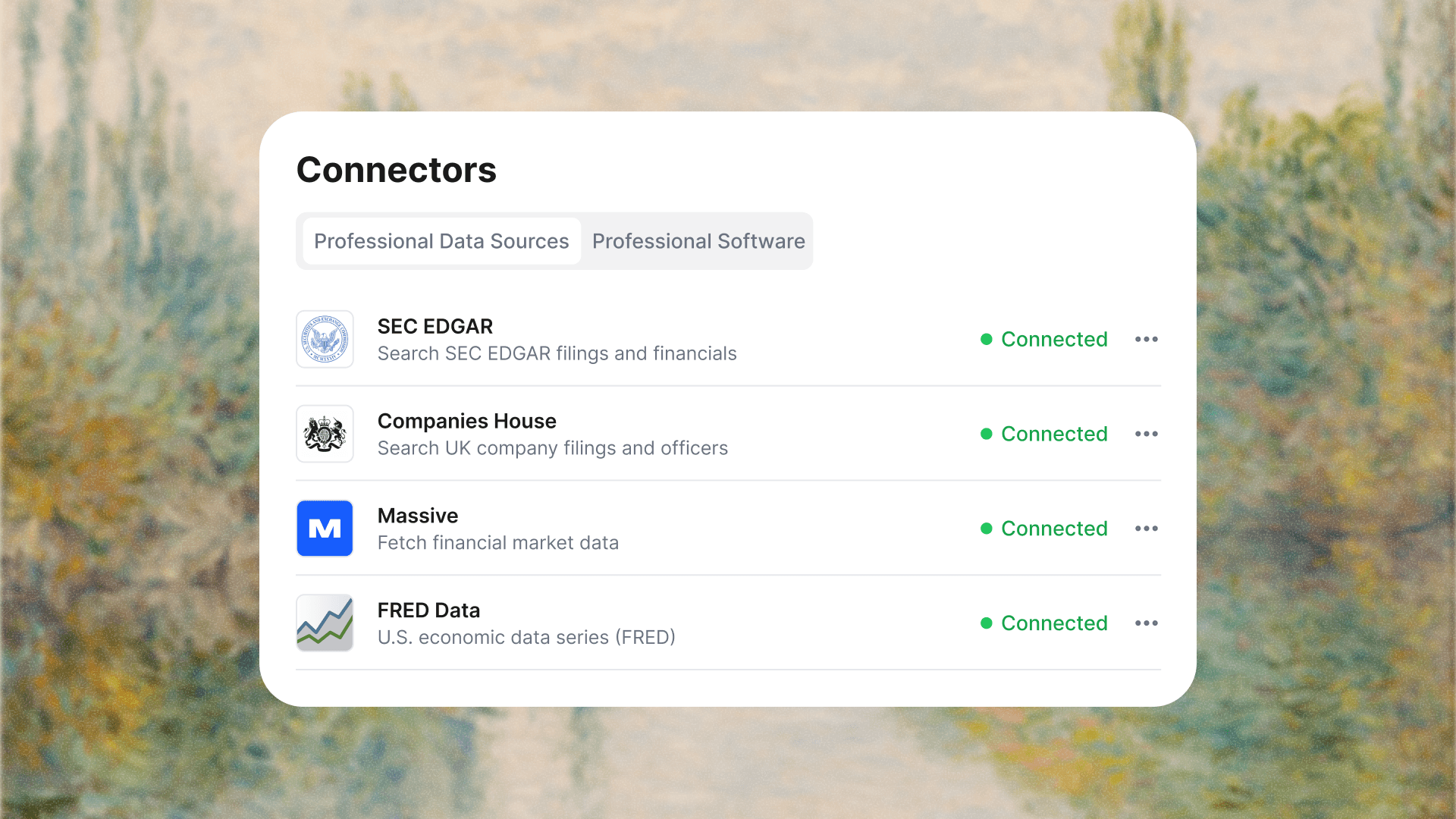
Reads the whole data room. Drop in up to 1M files at once — scanned PDFs, spreadsheets, images, databases — and MacrosLM reads every one in full and turns it into structured data. Sync live sources too: SEC EDGAR, FRED, Companies House, and market data for the numbers; NetSuite, Salesforce, and SharePoint for the systems your work lives in.
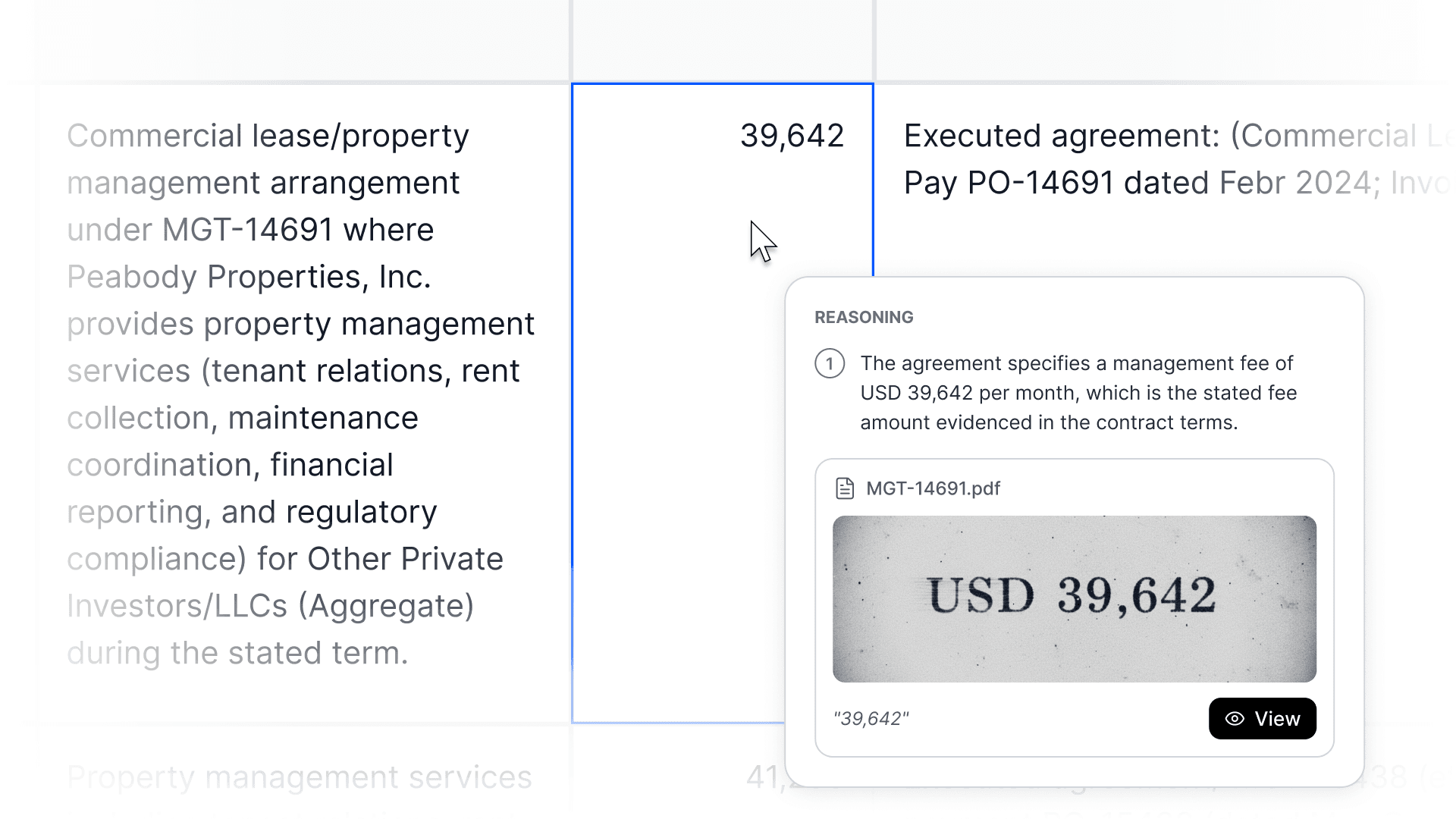
Every number shows its work. Click any figure and MacrosLM traces it to the exact page, cell, or clause it came from, and shows the logic behind it. If it can't point to a source, it won't put it in. That's what makes an output defensible to a reviewer.
You stay in control. MacrosLM flags its assumptions and asks for your input, and you oversee every workflow in real time. AI does the assembly; the auditor reviews, signs, and owns the conclusion.
Output in your firm's format. MacrosLM learns your memo structure, model layout, logo, and colors from your own files, so workpapers come back in your house style with no reformatting. Export to live sheets, visuals, reports, and decks.
Security. SOC 2 Type II, GDPR and CCPA compliant, encrypted in transit and at rest, and your data never trains a model.
Best for: audit and advisory teams that want the workpaper built, sourced, and review-ready — not just faster tools to build it themselves. As with any AI system, the output is a draft until an auditor reviews it — MacrosLM builds the workpaper and its evidence trail; the reviewer verifies and signs. Try it on your own files →
Where each tool sits in the audit
The alternatives
MacrosLM produces the deliverable. The tools below solve adjacent problems — organizing the audit program, speeding up evidence work in Excel, flagging risk across transactions, or serving a narrower practice niche — and many audit teams run one of them alongside an agentic workspace.
Optro, Caseware, and TeamMate+ — running the audit program
Optro (the connected risk platform formerly known as AuditBoard, rebranded in March 2026) spans SOX compliance, operational audits, IT risk, and ESG, built for collaboration across mid-size to large enterprises. Its strength is orchestration: bringing audit, risk, and compliance into one system and moving teams off spreadsheets and shared folders. Caseware is established audit engagement software adding AI assistance on top; TeamMate+ focuses on internal-audit management specifically. All three run the audit program rather than building the workpapers. Best for: enterprises that want a single platform for the whole risk-and-audit program.
DataSnipper and Inflo — evidence work inside Excel
The best-known name in audit automation, DataSnipper is built directly into Excel. It extracts, cross-references, and verifies data, and automates document review, sample testing, and financial validation. Its big advantage is that it adds automation without forcing teams out of their existing Excel workflow, and firms have reported cutting audit-prep time substantially. Inflo takes a similar data-driven approach to the audit workflow inside the spreadsheet. Both speed up the manual evidence work rather than producing the finished deliverable. Best for: external audit and advisory teams whose work already lives in Excel.
MindBridge — anomaly detection across full populations
MindBridge is a leading platform for anomaly detection in financial data. It scores transactions across an entire population to flag risk, integrates with a wide range of data sources, and is strong where the goal is surfacing suspicious journal entries and transactions rather than sampling. It finds the needles; it doesn't assemble the deliverable around them. Best for: teams that want full-population risk scoring on transactions and journal entries.
Fieldguide and Trullion — specialized practice tools
A narrower tier of tools targets one practice or one accounting area specifically. Fieldguide is built for advisory and audit practices running many client engagements at once; Trullion specializes in lease accounting and revenue-recognition testing under the relevant standards. Best for: teams whose bottleneck is that exact niche rather than the general audit workflow.
What to look for in any audit AI tool
Whichever category you're evaluating, a few criteria separate a tool that helps from one that adds steps:
- A traceable audit trail. This matters more in audit than almost anywhere. You have to defend your findings, so any AI output needs to link back to the evidence it came from. A tool that gives an answer it can't source is a liability. Regulators are moving the same way: PCAOB inspectors have made firms' use of AI a focus of their inspections, and the EU AI Act classifies certain financial AI uses — such as creditworthiness assessment and credit scoring of individuals — as high-risk, with obligations applying from August 2, 2026. Traceability is table stakes, not a nice-to-have.
- Full-population capability. The shift from sampling to testing entire datasets is one of the biggest gains AI brings — the same leap that reshaped SOX control testing and journal entry testing. Check whether the tool actually does it.
- Integration with your stack. A tool that can't connect to your ERP, GRC platform, or Excel workflow forces manual data transfer and defeats the purpose.
- Security and certification. For client and financial data, SOC 2 and encryption should be non-negotiable, along with assurance that your data stays out of public model training.
- Human-in-the-loop by design. The best tools automate the mechanical work and route judgment, sign-off, and exceptions to a qualified person. AI accelerates the auditor; it does not replace professional judgment or sign-off, and no serious tool claims otherwise.
- Fits your professional obligations. Using a tool doesn't shift responsibility. Audit evidence standards (AS 1105 / ISA 500) and firm quality-management standards (ISQM 1) apply regardless of how the work is performed, and the firm remains accountable for AI-assisted work. Check that the tool produces documentation your methodology — and your regulator — will accept.
How to choose
Start with your bottleneck. If your problem is coordinating a sprawling SOX or internal-audit program, you want a GRC platform like Optro. If it's the hours your team burns on evidence and tick-and-tie in Excel, a document tool like DataSnipper fits. If it's catching risk across huge transaction volumes, an analytics engine like MindBridge. And if it's that the finished deliverables themselves — control-testing files, workpapers, risk assessments — take too long to build, that's where an agentic workspace like MacrosLM fits.
Then test on your real work. Every credible vendor offers a demo or trial; run it on a genuine, non-confidential use case and judge it on whether it produces defensible, sourced output your team trusts, not on the length of its feature list.
Common questions about audit AI
Can one tool do it all?
Short answer: no. A single platform that runs the SOX program, extracts evidence in Excel, scores the full transaction population, and writes the workpaper is an appealing idea, but the market has not built it, because these are fundamentally different jobs. Running an audit program is workflow and coordination. Cross-referencing evidence is document work. Flagging risk across a ledger is analytics. Producing a finished, sourced workpaper is reasoning across all three. For most teams in 2026, the realistic setup is two or three tools working together: a workspace for the highest-stakes deliverables, a document tool for the work that lives in Excel, and, at larger firms, a GRC platform to run the program.
Is AI replacing auditors?
The better AI tools are eliminating tasks, not roles. Evidence extraction, sample tie-out, journal-entry testing, and reconciliation are being automated at scale. What AI cannot do is exercise professional skepticism on an ambiguous item, interpret a novel accounting treatment, or carry accountability for the opinion. Regulators reinforce this: the PCAOB holds the auditor accountable for the work regardless of the tools used, and the EU AI Act requires human oversight for high-risk AI systems. Auditors who use these tools now handle work that once required two or three people — the real pressure is not that AI takes the job, but that a peer using AI can do considerably more.
How secure are AI audit tools with client data?
For client and financial data the baseline is non-negotiable: SOC 2 Type II, encryption in transit and at rest, and an explicit guarantee your data is never used to train public models. This matters more in audit than almost anywhere, because the data belongs to your client and the confidentiality standard is yours to uphold. Confirm the certification and the data-training policy in writing before you buy, not just on a marketing page.
Bottom line
There's no single best AI tool for audit automation, because the tools solve different problems. GRC platforms run the program, document tools speed up evidence work in Excel, analytics engines find anomalies across full populations, and agentic workspaces like MacrosLM produce the finished, sourced deliverable. What unites the good ones is a traceable evidence layer, real integration, serious security, and a human-in-the-loop design that keeps judgment with the auditor. Identify your biggest bottleneck, match it to the right category, and test on real work before you buy.
Sources
- Thomson Reuters — 2025 Future of Professionals Report — source for the daily-AI-use and transformational-impact figures above.
- KPMG — 2026 Global AI in Finance Report — source for the adoption, ROI, and evidence-differentiator figures above.
- PCAOB — AI and the Pursuit of Audit Quality: A Regulatory Perspective — source for the inspection-focus and auditor-accountability points above.
- EU AI Act — full text — source for the high-risk classification and human-oversight requirements above.
- PCAOB — AS 1105: Audit Evidence — the evidence standard referenced above.
- IAASB — ISQM 1 — the firm quality-management standard referenced above.
This article is for general information. Product capabilities, certifications, and pricing change over time and vary by plan — verify current details with each vendor before making a decision.
Frequently asked questions
- What are the best AI tools for audit automation?
- There's no single best tool — they solve different problems. Agentic workspaces like MacrosLM build the finished, sourced deliverable; document tools like DataSnipper speed up evidence work inside Excel; GRC platforms like AuditBoard run the audit program; and analytics engines like MindBridge flag anomalies across full transaction populations. Match the tool to your biggest bottleneck.
- What should you look for in an audit AI tool?
- A traceable audit trail (every output links back to its evidence), full-population capability rather than sampling, integration with your ERP/GRC/Excel stack, serious security (SOC 2, encryption, no training on your data), and a human-in-the-loop design that routes judgment and sign-off to a qualified person.
- Can AI replace auditors?
- No. AI automates the assembly work — chasing evidence, testing samples, tying out numbers, building workpapers — but professional judgment, exceptions, and sign-off stay with the auditor, who owns the conclusion. Regulators (PCAOB, EU AI Act) reinforce that the human remains accountable.
- What's the difference between the categories of audit AI tools?
- GRC platforms run the audit program; document-automation tools speed up evidence work in Excel; anomaly-detection engines score full transaction populations for risk; and agentic workspaces produce the finished, sourced workpaper end to end. Start from your bottleneck and pick the matching category.