
How strategy consultants build McKinsey-style research decks from 100+ raw PDFs
By MacrosLM Team · Reviewed by Damira Baigozha, ex-PwC Valuation & M&A Advisory Expert
Management consultants and corporate strategy leaders spend up to 60% of their engagement hours on heavy data extraction: reading through massive libraries of unstructured PDFs — analyst reports, SEC filings, industry whitepapers, and expert interview transcripts — just to build a 15-slide executive deck.
When strategy teams try using generic AI tools like ChatGPT, Claude, or basic slide-generator plugins to accelerate research synthesis, they quickly hit an enterprise ceiling:
- Severe context and capacity limits: ingesting 100+ multi-page PDFs causes generic LLMs to suffer context degradation — dropping critical nuances, misquoting market-sizing figures, or hallucinating statistics.
- The "black box" liability: in a partner review or C-suite client presentation, an unverified statistic is a career risk. When a Managing Director asks, "which report page supports this 12% TAM growth estimate?", generic slide tools leave you defenseless.
- Lack of consulting-grade density: standard AI slide builders output generic, low-density bullet points instead of structured, data-dense, McKinsey-style visual frameworks.
This guide walks through how to use MacrosLM's specialized domain agents to process 100+ raw, unstructured research PDFs simultaneously, delivering a consulting-grade presentation deck where every chart, matrix, and strategic claim links directly back to its exact source page.
What you'll produce
A C-suite presentation deck built to management-consulting standards:
- McKinsey-style strategic layouts: executive-summary pyramid, market map, value-chain disruption analysis, competitor-positioning matrices, and prioritized strategic recommendations.
- 100% line-item traceability: every statistic, market projection, and quote carries a clickable citation badge linking directly to the exact page, paragraph, or row in your source PDFs.
- Custom brand matching: visual structures, color palettes, and typography automatically matched to your firm's presentation template.
The flow: 100+ raw research PDFs and filings → the MacrosLM Market Intelligence agent → a McKinsey-style deck with clickable evidence behind every claim.
One-time setup (about two minutes)
Before running your first high-volume research synthesis, MacrosLM configures your workspace to align with your firm's analytical rigor and design architecture. You complete this setup once.
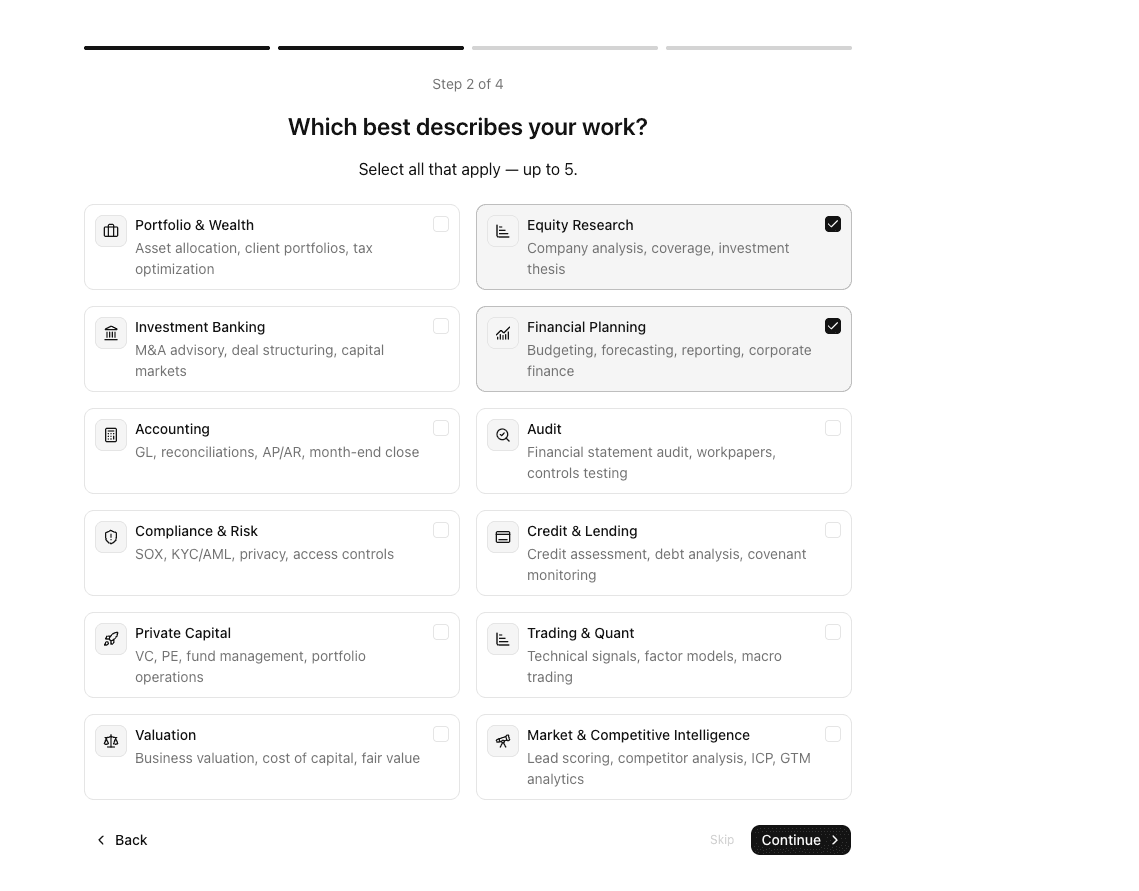
1. Select your domain focus
Sign in and choose the domains you work in. This equips your account with domain-trained strategy agents.
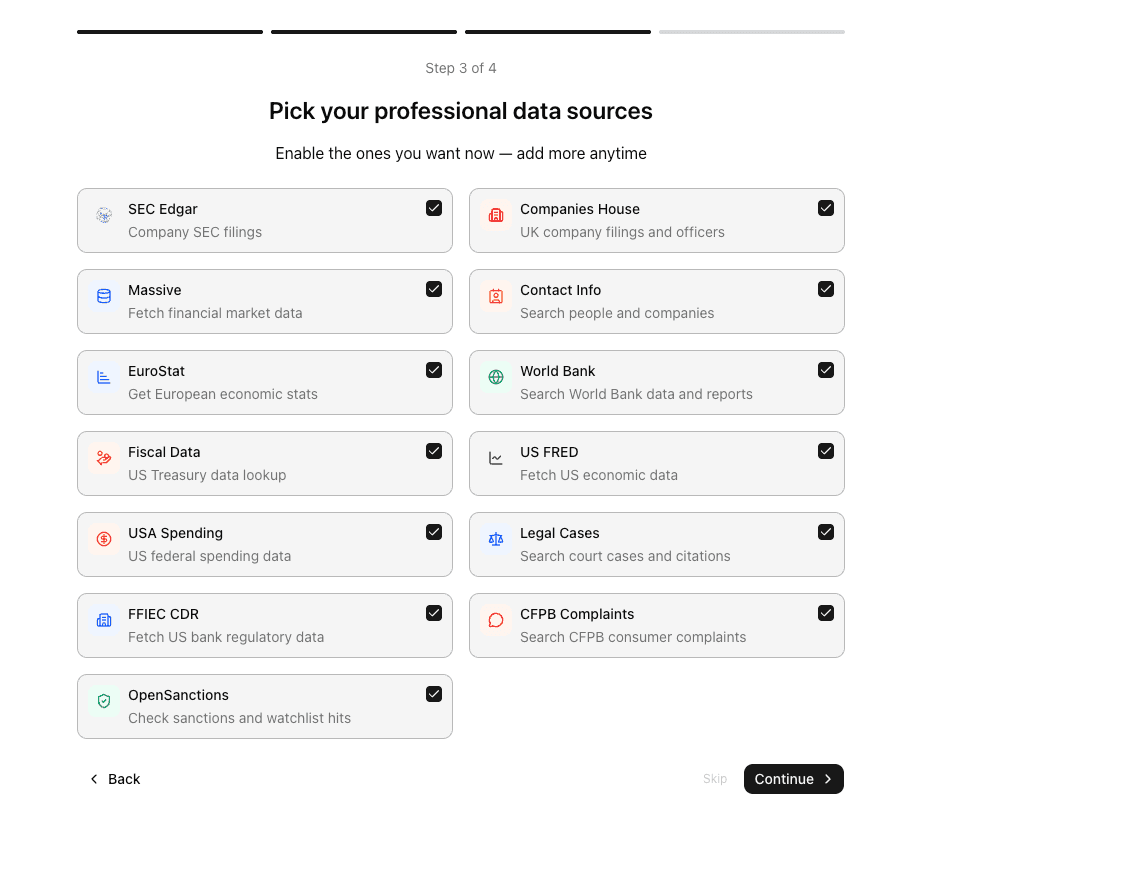
2. Connect professional data streams
Switch on authoritative data connectors so your agents can pull public filings and economic context alongside your private uploads:
- SEC EDGAR & Companies House: public filings, annual reports, and governance records.
- US FRED & World Bank: macroeconomic trends, inflation metrics, and industry-output benchmarks.
- Web Search: real-time market news, press releases, and pricing updates.
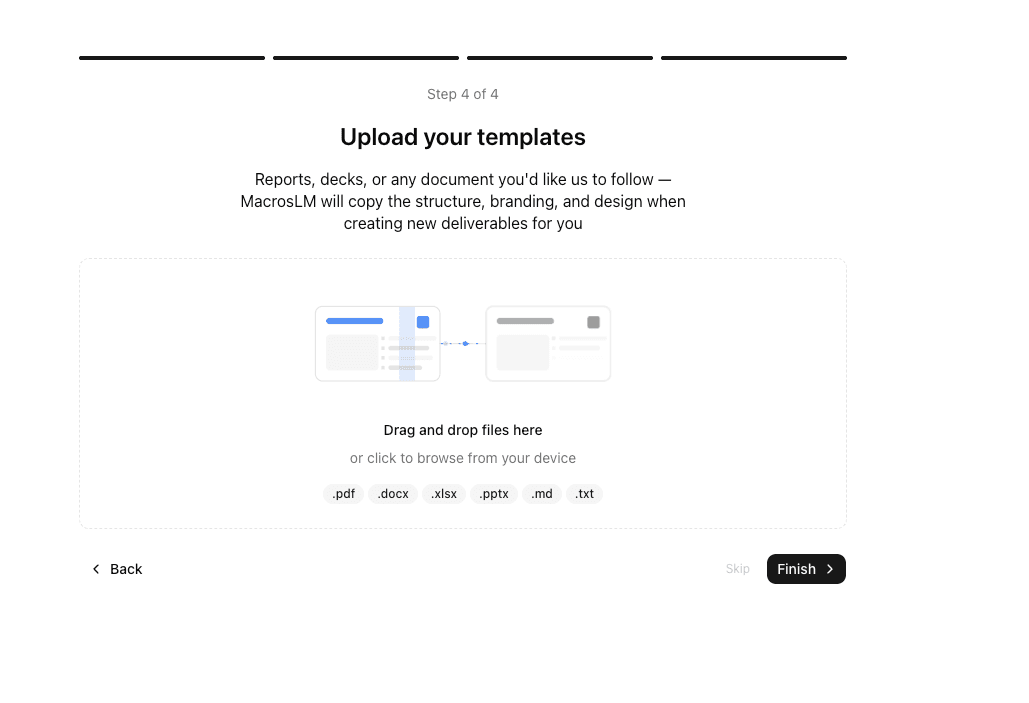
3. Upload your brand template
Drop in your firm's PowerPoint template (.pptx), client brand guidelines, or a
past consulting deck. MacrosLM memorizes your exact font pairings, color
palettes, and slide structures so generated decks land in your house style.
Step 1: High-volume ingestion (100+ raw PDFs)
Open a new task in your main workspace. Upload your entire research pile into the file panel — market reports, equity-research notes, 10-K filings, expert interview transcripts, and industry CSVs.
MacrosLM
is built for massive scale, handling up to 1,000,000 raw documents
across PDF, Excel (.xlsx), Word (.docx), CSV, and HTML formats (up to 25 MB
per file) without pre-sorting or data loss.
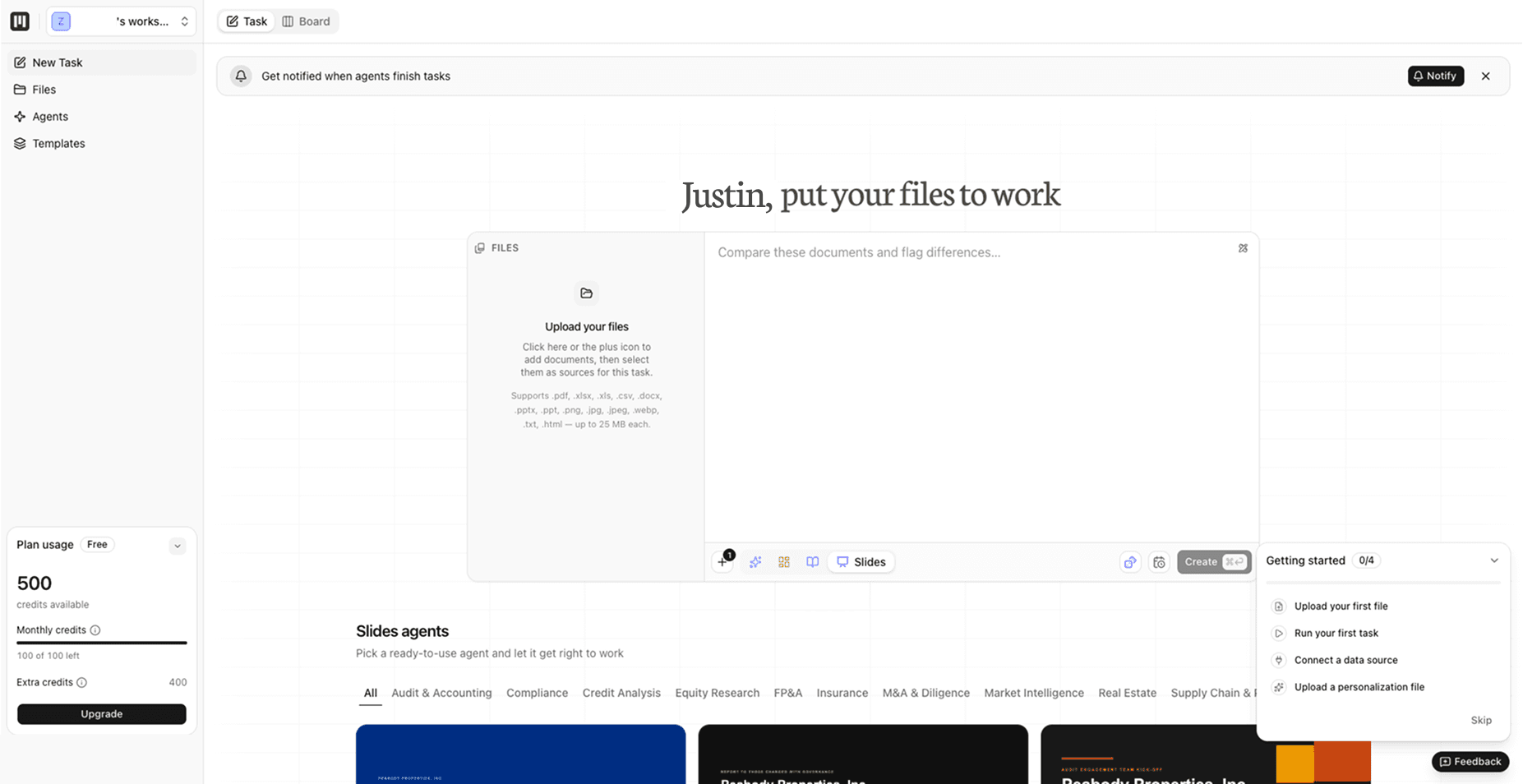
Pro tip: Never waste time pre-filtering or summarizing documents by hand. Drag 100+ unstructured PDFs directly into the workspace and let the agents read across them simultaneously.
Step 2: Write the executive briefing
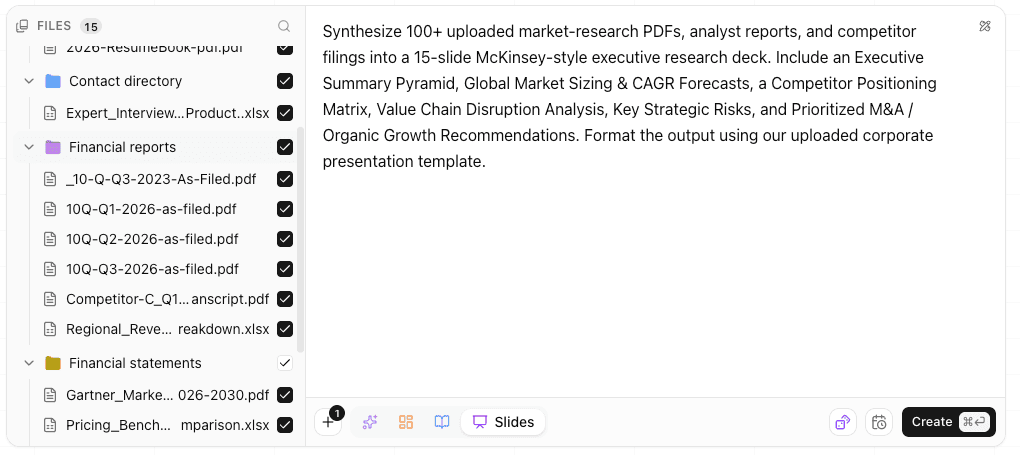
In the task box, define the narrative hierarchy, strategic framework, and scope for your research deck:
"Synthesize our 100+ uploaded market-research PDFs, analyst reports, and competitor filings into a 15-slide McKinsey-style executive research deck. Include an Executive Summary Pyramid, Global Market Sizing & CAGR Forecasts, a Competitor Positioning Matrix, Value Chain Disruption Analysis, Key Strategic Risks, and Prioritized M&A / Organic Growth Recommendations. Give it a clean, modern look."
Here we asked for a fresh style, but you don't have to start from scratch — you can upload your own templates in any file format and have the deck match your existing house style instead.
Select Slides as your primary deliverable. From here you have two options: write your own prompt like the one above, or pick a ready-made agent from the agent library and let it run.
Step 3: Track execution on your board
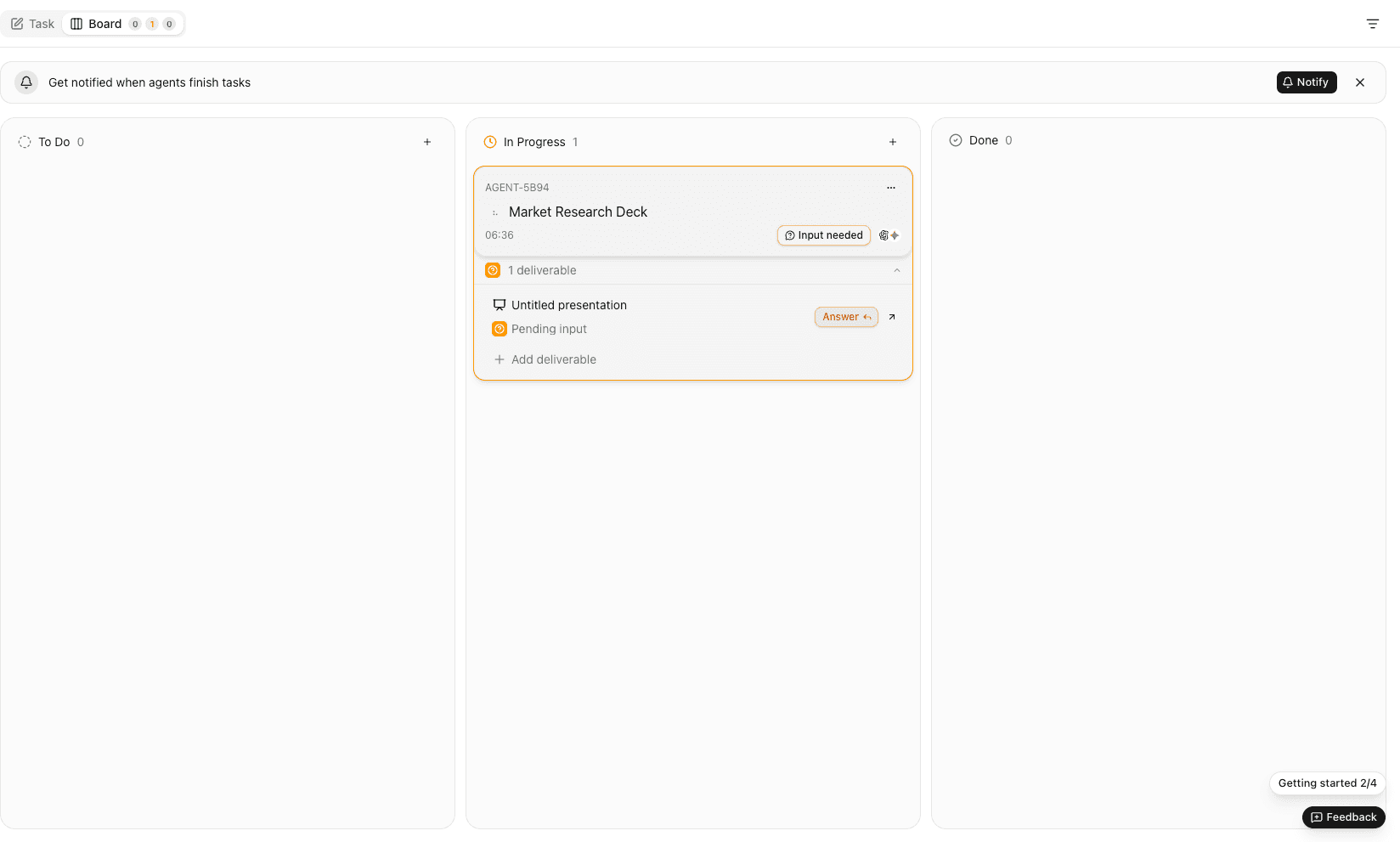
Click Create to run the task. It appears on your board view, where you can track it and every other task in one place.
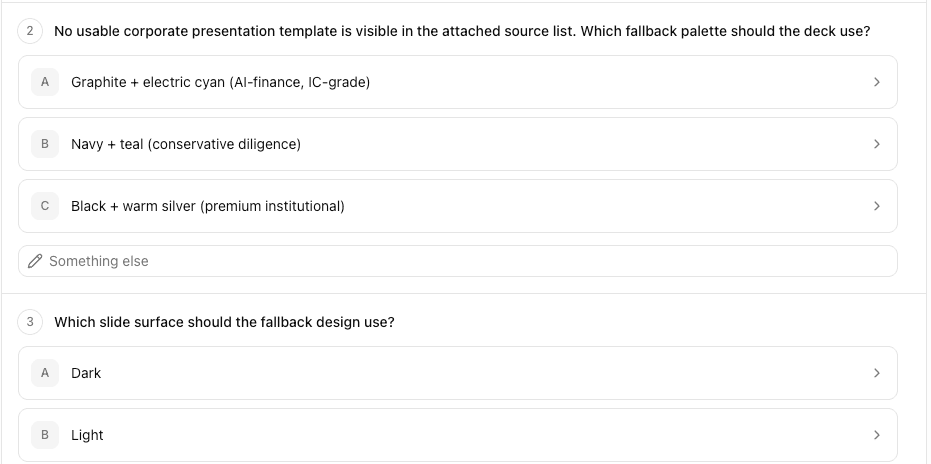
Before building the final slides, the agent reads across your document repository and — wherever you left something open in your prompt — asks you targeted clarifying questions, such as confirming the target geographic scope or strategic framework. Your answers steer the deck, so the output reflects your judgment rather than the agent's assumptions.
Step 4: Real-time canvas and live-chat refinement
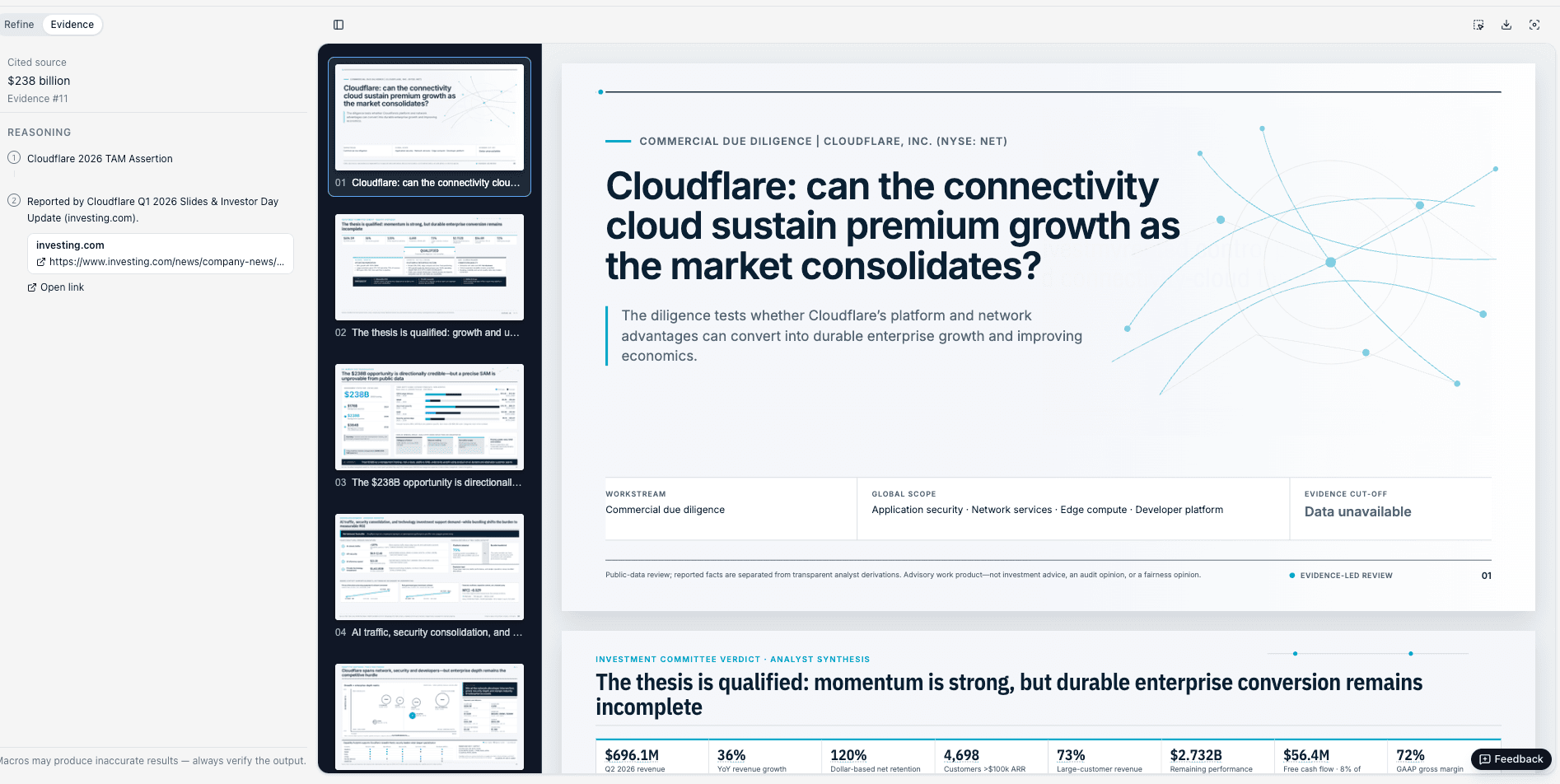
As your presentation renders, you enter a dual-panel generation canvas built for iterative refinement:
- Refine: a live conversational chat window ("Ask anything about this deliverable…") where you can edit the deck by just asking — reword a headline, swap a chart, fix a figure, or add a framework, and it updates on the fly.
- Evidence: a real-time audit log tracking every PDF page, chart cell, and web reference parsed during execution.
Step 5: Partner-level proof — click any citation to see the evidence
This is where MacrosLM sets the standard for high-stakes advisory work: 100% line-item traceability.
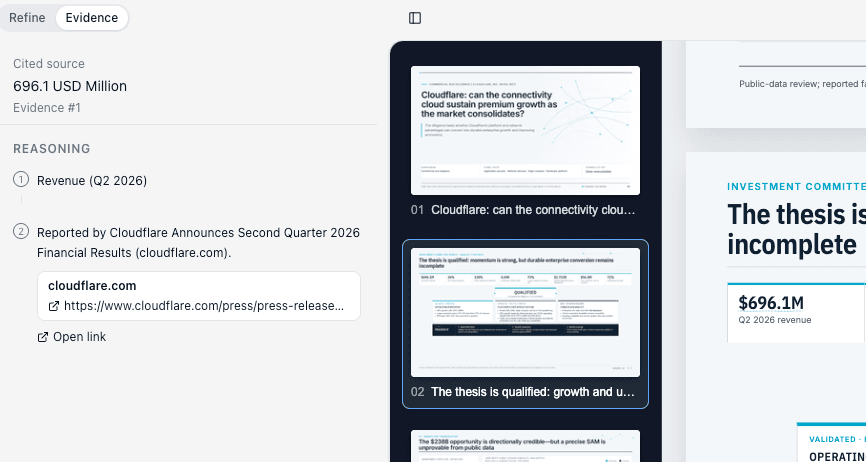
Every market estimate, competitor quote, or growth projection on a slide carries a clickable, numbered citation badge. To use it in partner reviews and client meetings:
- Click any citation badge on a rendered slide.
- The Evidence panel slides open.
- The system displays the exact cited PDF page, the original document excerpt or URL, and the step-by-step reasoning chain behind the synthesis.
When a Managing Director or C-suite client asks, "where did this market consolidation figure come from?", you click the citation badge directly on the slide to reveal the exact report page supporting it.
Once you're happy with it, download the finished deck as an editable PowerPoint
(.pptx) file — styled in the colors you picked — or share it with your
colleagues straight from the workspace, ready to drop into a partner review or
client meeting.
Enterprise security and advisory compliance
High-stakes corporate strategy requires strict data-security controls up front:
- Certifications: SOC 2 Type I & Type II certified; GDPR and CCPA compliant.
- Contractual no-training guarantee: your client files, research archives, and brand templates are never used to train public or foundational AI models.
- Source-linked outputs: every generated figure links back to the exact file and page it came from, so any number can be traced and verified against your source.
The short version
To turn 100+ raw research PDFs into a cited, McKinsey-style presentation deck:
- Complete setup and connect data sources during your one-time onboarding.
- Drop in your 100+ research PDFs and write your brief using the Slides agents.
- Track agent alignment on your board view.
- Review the cited presentation, refine via chat, and verify the evidence.
- Download the deck as an editable
.pptxor share it with your colleagues — ready for the partner review or client meeting.
Stop losing days to manual document scanning and slide reformatting. Let AI handle data collection and synthesis so you can focus on delivering high-impact strategic judgment.
Frequently asked questions
- How does MacrosLM handle 100+ PDFs without losing accuracy?
- MacrosLM is built for high-volume ingestion — up to 1,000,000 documents across PDF, Excel, Word, CSV, and HTML (up to 25 MB per file) — and its agents read across the whole set at once rather than truncating to a context window. Every figure it produces links back to the exact source page, so accuracy is verifiable rather than assumed.
- Can I trust the statistics on the generated slides?
- Every statistic, projection, and quote on a slide carries a clickable, numbered citation badge. Click it and the Evidence panel opens to the exact cited PDF page, the original excerpt or URL, and the reasoning chain behind the synthesis — so in a partner review or client meeting you can prove where any number came from.
- Will the deck match my firm's presentation template?
- Yes. During the one-time setup you upload your firm's PowerPoint template, brand guidelines, or a past deck, and MacrosLM matches your font pairings, color palette, and slide structures so generated decks land in your house style.
- Is my client data used to train AI models?
- No. MacrosLM is SOC 2 Type I & Type II certified and GDPR/CCPA compliant, and carries a contractual guarantee that your client files, research archives, and brand templates are never used to train public or foundational AI models.
Reviewed by Damira Baigozha
ex-PwC Valuation & M&A Advisory Expert. Written by the MacrosLM editorial team.
View profile →